 Case · Music studios
A studio that no longer lives on a phone
1640 ESTUDIO rents recording, mixing and podcast rooms in Lomas de Chapultepec, Mexico City. We built the system it runs on: from booking to invoice, with access to every room included.
- Client
- 1640 ESTUDIO
- Where
- Lomas de Chapultepec, Mexico City
- What
- Website and operating system
- For
- Studio, artists, producers and students
- Runs on
- Web, iOS and Android
01Starting point
Six rooms, one calendar on a phone.
Booking a room is the easy part. The hard part is everything after: confirming, letting the right person in, collecting the deposit and the balance, invoicing and knowing what is still open. Each step lived somewhere else.
- The calendar spread across chats and loose calendars.
- Getting in depended on someone being there.
- Payment and invoice were typed in twice.
02What we built
The website and the system behind it, as one piece.
One system with four doors: the studio's panel, the artist portal, the front desk with its kiosk, and the online school. Here is what it has, module by module.
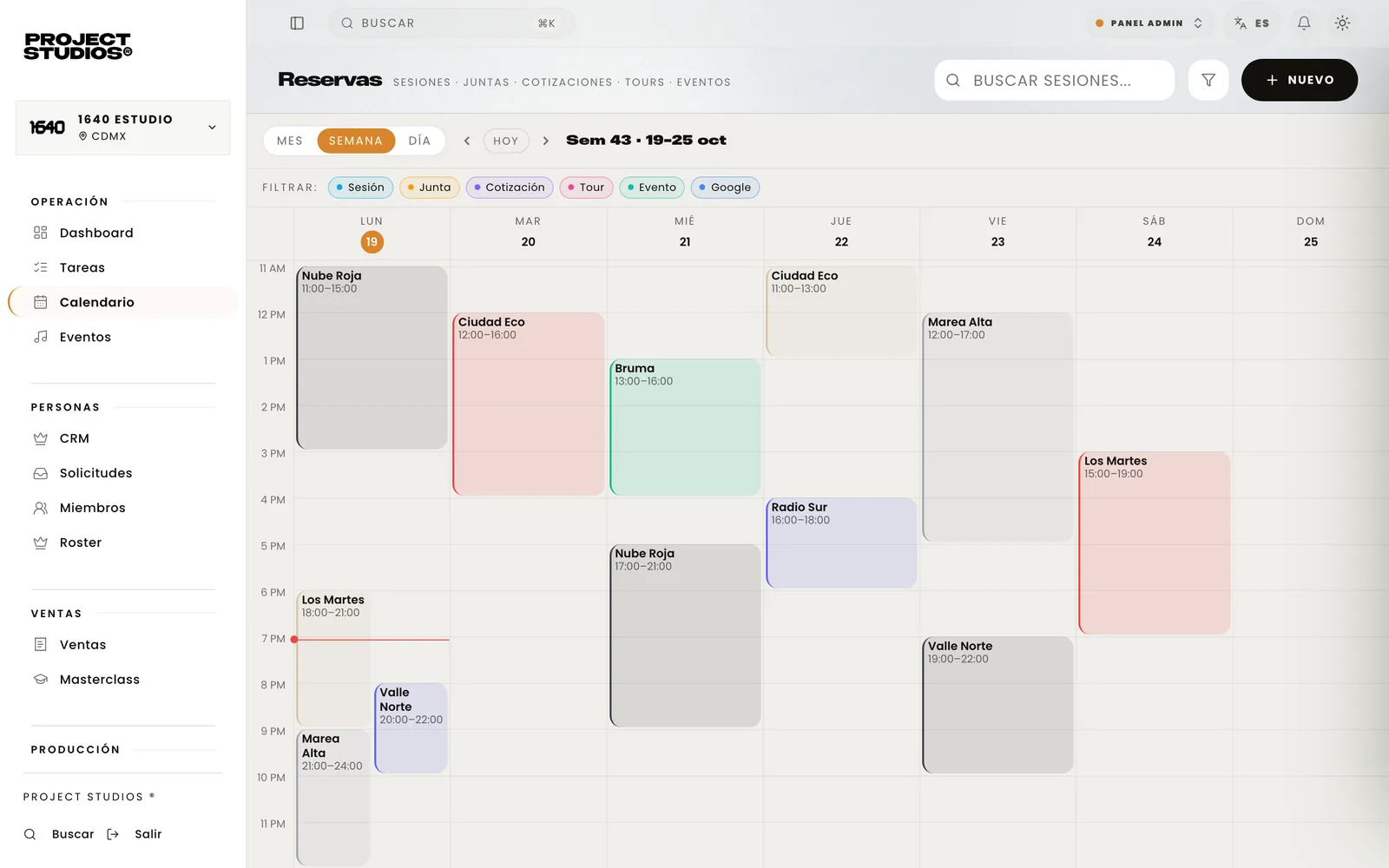
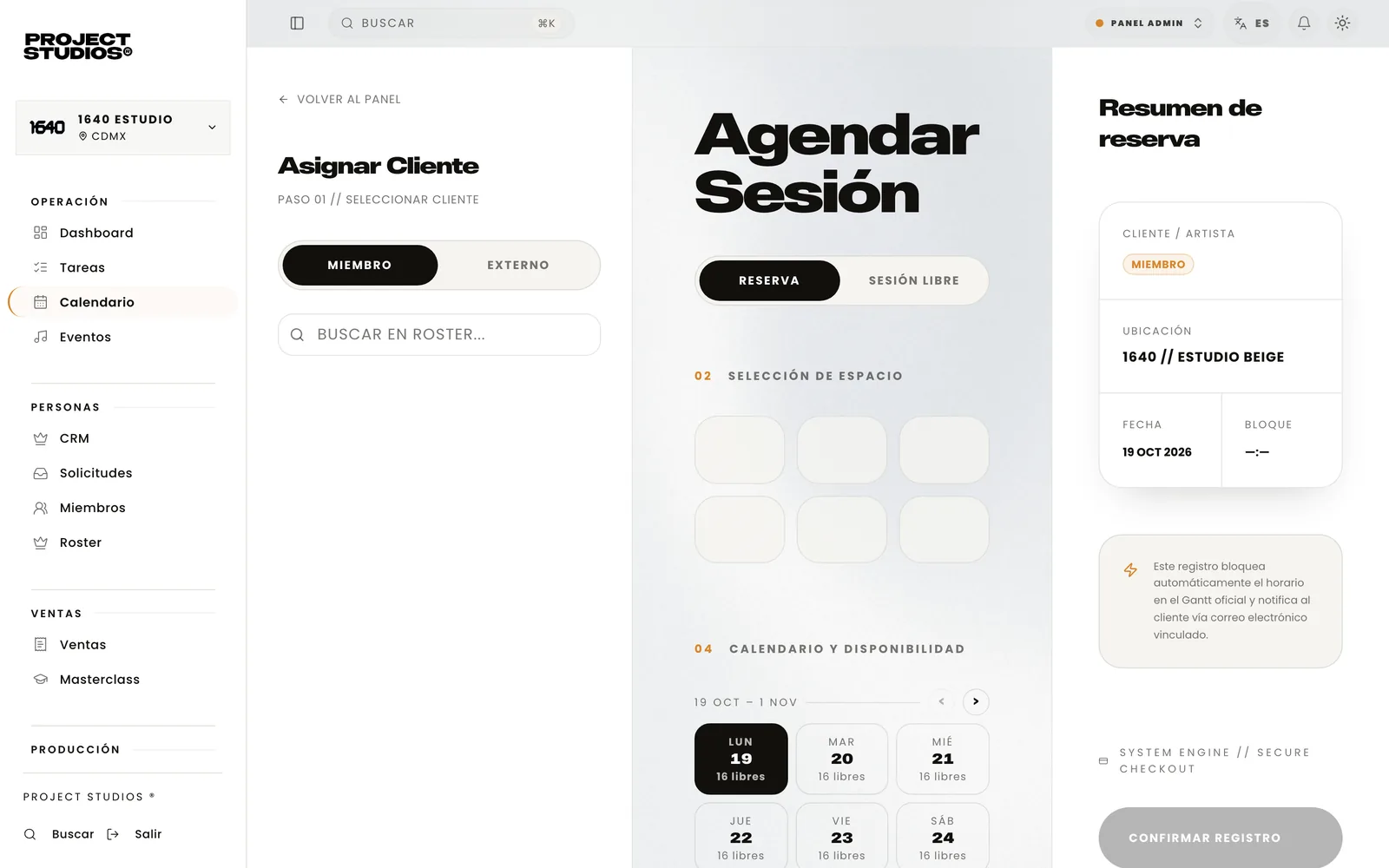
Bookings and calendar
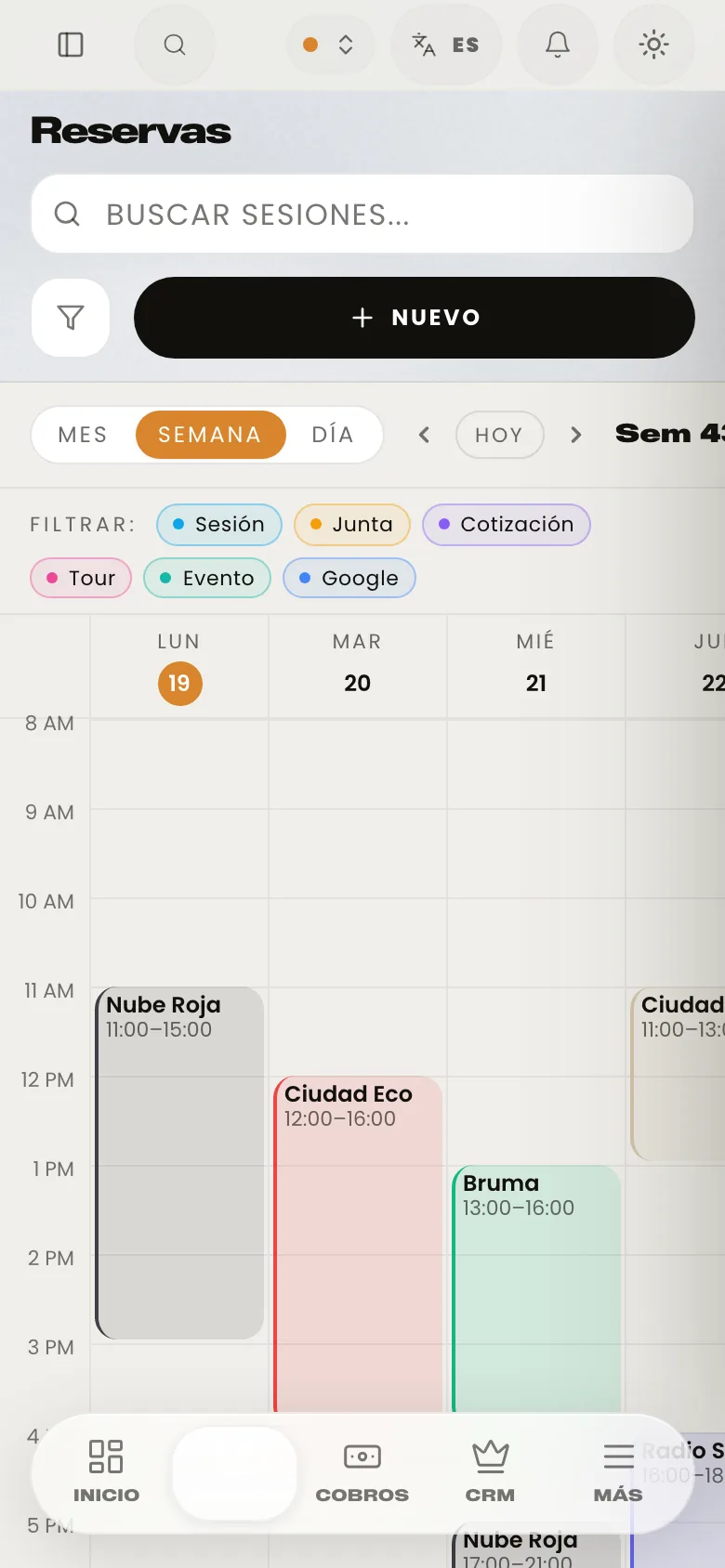
All six rooms by day, week or month: sessions, meetings, tours and events. It checks time and gear conflicts before confirming.
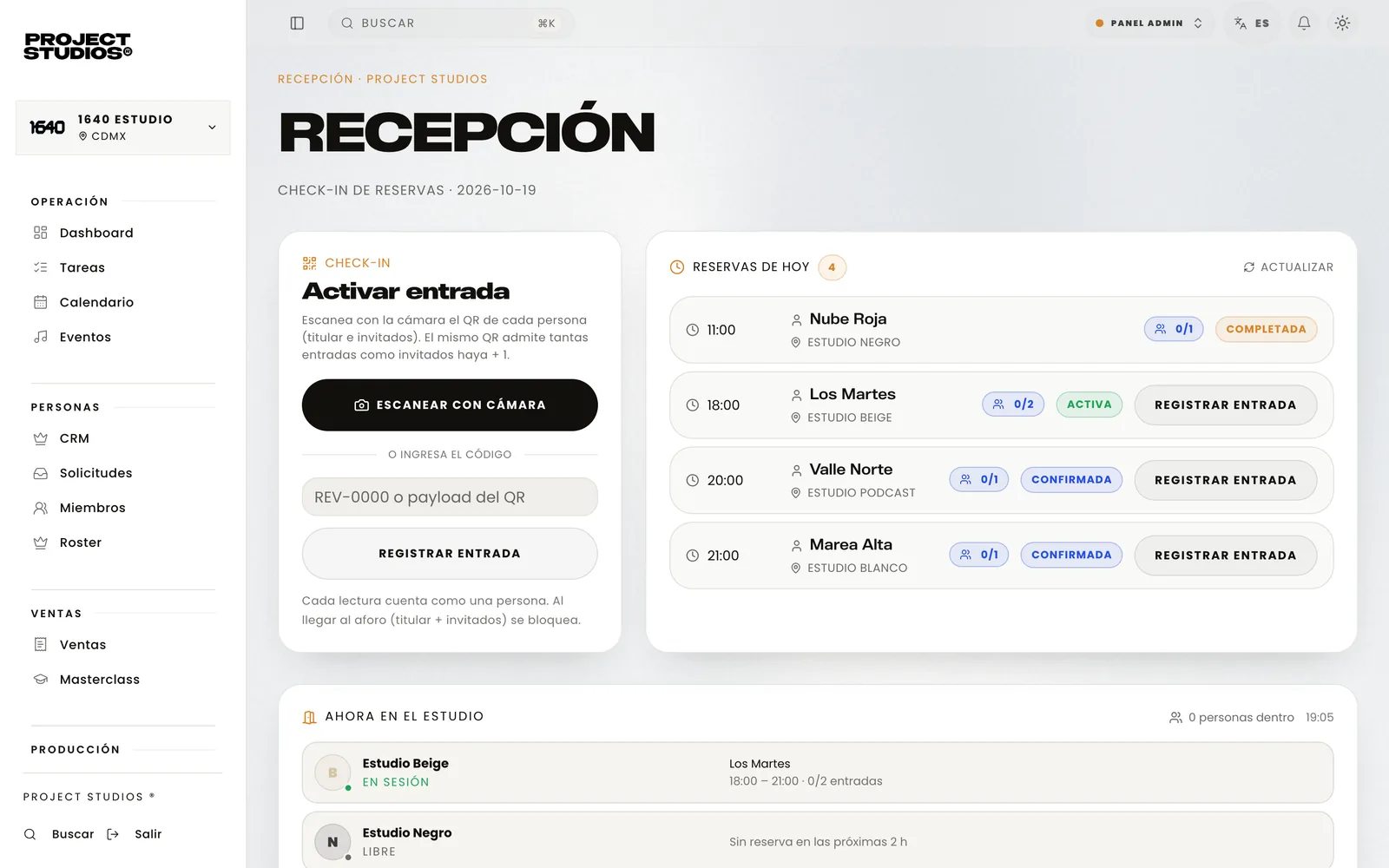
Front desk
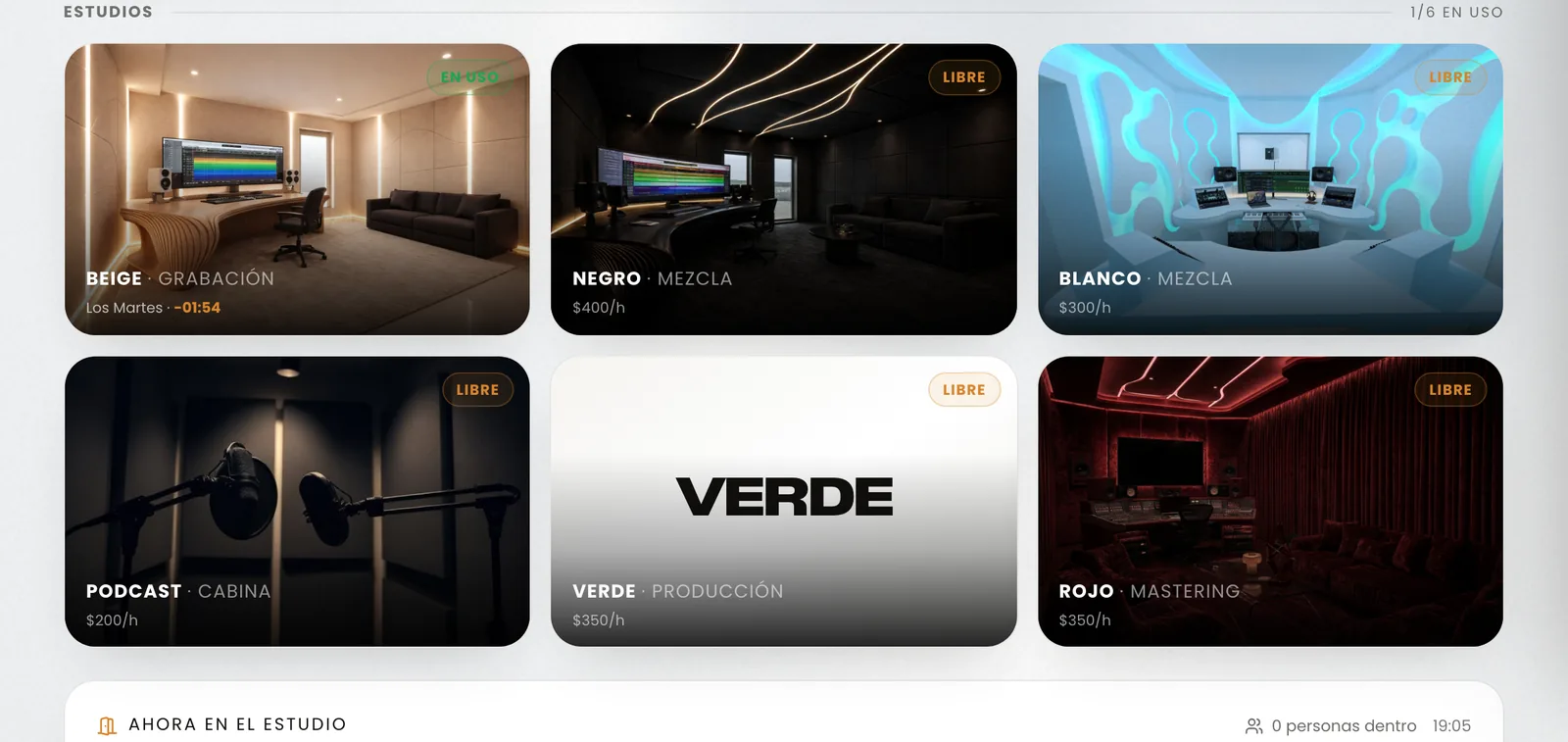
Today's bookings, who is inside and which room is still free. Check-in counts every guest against capacity.
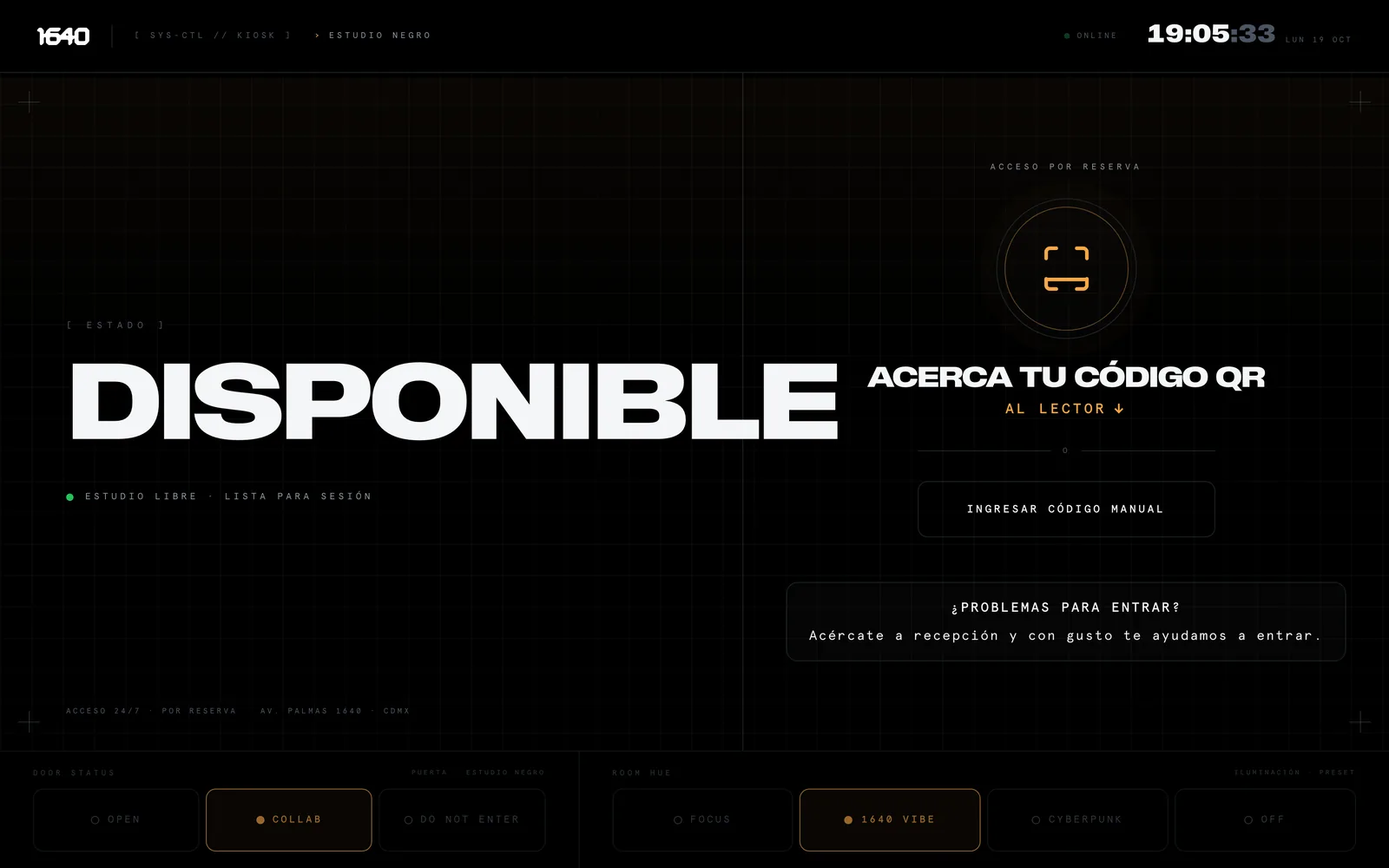
QR access kiosk
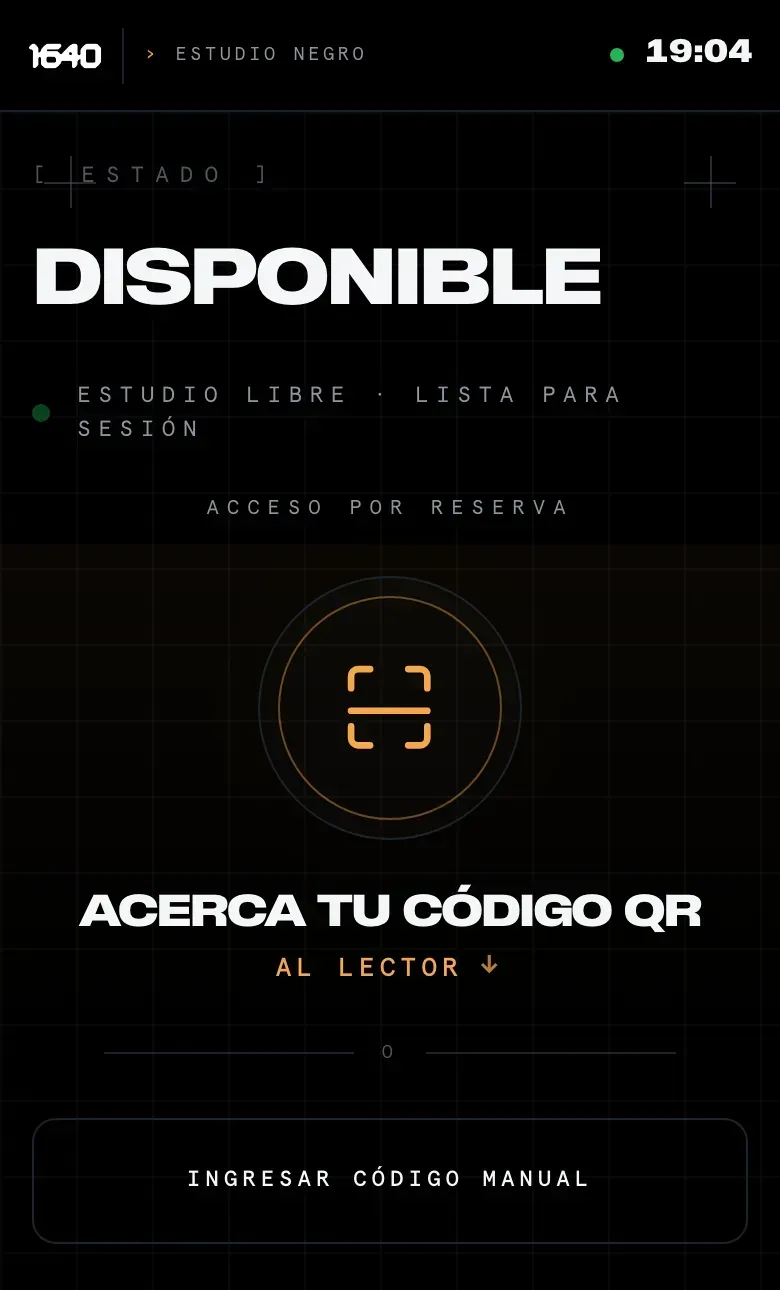
Every room has its own terminal. A code opens only its room, only in its time slot, starting fifteen minutes before.
Quotes and payments
Quotes are paid online through Stripe. A deposit keeps the balance in view, and nobody is ever overcharged.
Stamped tax invoices
Each payment becomes a CFDI, Mexico's official e-invoice, through Facturapi, without retyping a thing.
E-signed contracts
Sent, signed online and stored with their certificate.
Artist portal
Their bookings, payments, quotes, invoices, contracts and deliverables, in their own app. Their pass goes into Apple Wallet too.
Producer portal
Their sessions and follow-ups, plus a page of their own to pitch their clients.
Online school
Courses with public checkout, interest-free installments, video, progress by lesson and a certificate.
Finance
Income, expenses and what is still owed, per location and consolidated.
Team, roles and locations
Everyone sees what is theirs. Each location's data is kept apart by the database itself.
Privacy
Notice, data rights requests, data export and account deletion, without touching the records tax law says to keep.
03A day with the system
The studio runs it. We build it.
This is what an ordinary day looks like. Nobody at the studio writes code or opens a spreadsheet: they use the system.
- Front desk
Opens the day
Sees today's bookings, which room is free and who arrives first.
- Artist
Walks in with a code
Holds the QR up to their room's kiosk. The kiosk recognizes it and the front desk sees them come in.
- Producer
Quotes a project
The client gets the quote and pays the deposit online. Both can see the balance.
- Studio
Sends the contract
It is signed from a phone and stored next to the project.
- Front desk
Closes the session
The charge is locked and the invoice is stamped, with nothing typed twice.
- Student
Keeps up with a course
Watches today's lesson from home. Progress and the certificate save automatically.
The studio
Welcomes, schedules, charges and teaches. Sets prices, hours and who gets in.
Celyum
We build every module and every integration, and keep them up to date.
04Under the hood
What is underneath, briefly.
For anyone who wants to know what it is made of.
Foundation
- React and TypeScript
- One codebase for the web and the phone.
- Supabase
- Database, accounts, files and server functions.
- Security per location
- Access rules live in the database, not just on screen.
- iOS, Android and web
- The same app packaged for both phones.
Integrations
- Stripe
- Online payments, payment links and installments.
- Facturapi
- Stamped Mexican tax invoices.
- Zoho Sign
- Electronic contract signing.
- Vimeo
- Course video.
- Google Calendar and Tasks
- The team's schedule and to-dos.
- Apple Wallet
- The artist's pass on their phone.
Quality
- Over 900 tests
- Automated, on every change.
- Phone testing
- Full flows at iPhone and Android widths.
- Money, locked down
- A test makes sure payments never exceed the total, whatever order they arrive in.
- Monitoring
- Every production error is logged with Sentry.
05Screens
The system, as it looks.
Real screenshots of the app with demo data: no name or amount belongs to a client.
Does your operation live on a phone?
Tell us how you work today. In 30 minutes we will tell you what we would build and what your day would look like with it.